
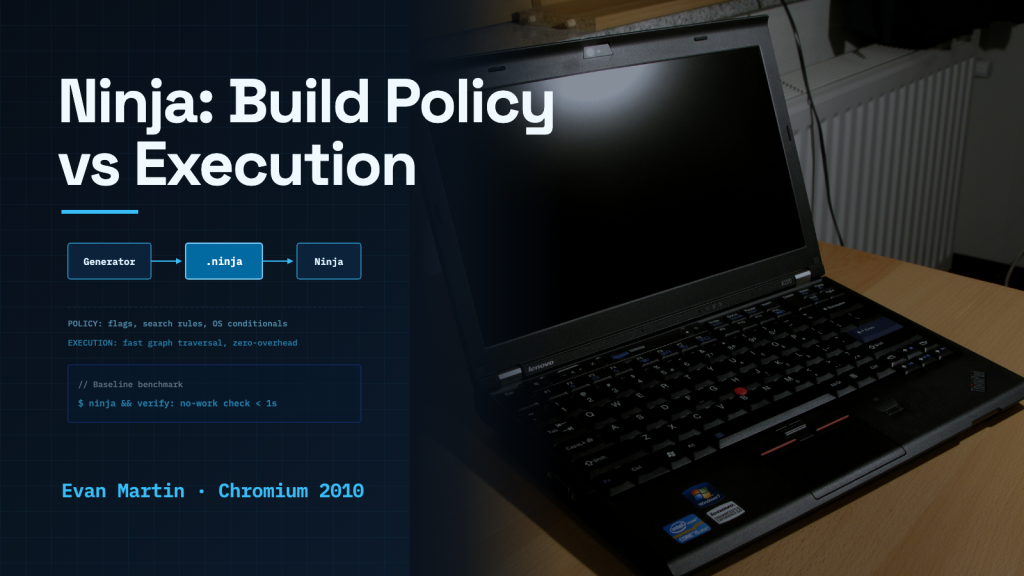
In 2010, software engineer Evan Martin began Ninja to reduce the delay before Google Chrome’s build system started compiling. An earlier Linux build setup using SCons could take thirty seconds just to determine which files had changed. Martin’s experiment targeted that startup overhead rather than the time spent compiling code.
Google Chrome was expanding rapidly, reaching tens of thousands of source files as engineers ported the browser from Windows to Linux and macOS. Martin recalled repeated waits after editing a single file and then correcting a missing semicolon. His design sought to move configuration work into a generator so subsequent builds could load its results quickly. Martin set out to test a simple premise: what if a build tool left nearly all decisions to the generator and worked less like a compiler and more like an assembler?
The Latency Trap in Incremental Builds
After Chrome for Windows shipped in 2008, the team used GYP (Generate Your Projects) to generate build files for Windows and other platforms. On Linux, the initial setup generated SCons build files. But SCons could take roughly thirty seconds just to examine the file tree and determine what had changed before compilation started.
Martin attempted to solve the problem by having GYP output plain Makefiles, borrowing structural techniques from the Linux kernel. At first, the Makefiles felt fast. But as the Linux port brought more files into the build, Make also slowed down. Martin recalled waits after small edits long enough to make him forget what he was working on. Martin noted the irony: the Chrome browser team worked to minimize the browser’s startup latency, yet engineers were losing their train of thought waiting for their own build scripts.
Separating Policy From Execution
Most popular build tools attempt to do two very different jobs at once. They parse human-friendly configuration languages with variables, conditionals, platform checks, and complex search rules. Then, they determine file dependencies and schedule commands.
Martin chose to split those responsibilities completely. High-level configuration decisions—whether to build debug or release binaries, which compiler flags to set, which operating system features to include, and where object files should reside—belonged entirely in a generator program such as GYP, and later GN, the meta-build system for Chromium, or CMake. The generator would resolve configuration decisions ahead of time and write explicit build instructions that Ninja could reuse across subsequent builds.
Ninja itself would do almost nothing. Its input format omitted conditionals, globbing, and file-extension rules. A .ninja file described concrete inputs, commands, and outputs, with reusable rules and variables. Its simple format reduced interpretation, although parsing still required optimization as Chrome grew. When an incremental build started, Ninja loaded the graph, checked file timestamps and logged command hashes, and immediately launched out-of-date tasks.
Micro-Optimizations and Graph Design
To make graph traversal as fast as possible, Ninja mapped every file path to a unique in-memory node pointer, eliminating expensive string comparisons during cycle detection and dependency walks. To track command changes without bloating logs, contributor Nico Weber replaced full command strings in the build log with command hashes, shrinking Chrome’s build log from 200 megabytes to under two megabytes on macOS.
For header dependencies, Ninja avoided slow pre-build header scanners. Build rules could instruct compilers such as GCC (the GNU Compiler Collection) and Clang to emit Makefile-style dependency lists during compilation. Ninja initially loaded these files on the next build; a later optimization, available in Ninja 1.3, processed them just after compilation and stored compact dependency data in .ninja_deps. When Martin established a baseline benchmark—re-running Ninja on Chrome immediately after a complete build to verify that nothing needed rebuilding—the entire check took just under a second.
The Limits of Doing Less
Yet Ninja’s minimalism created strict boundaries. Ninja is intended to work with a generator rather than serve as a convenient standalone build system. Writing .ninja files by hand is possible, but convenient handwritten syntax is an explicit non-goal. The official Ninja manual also cautions that for smaller projects, where edit-compile cycles are already fast, Ninja’s speed may matter little. Large projects can benefit from reducing this overhead, although the manual notes that even small projects sometimes gain speed from simpler build rules.
GN generates Ninja build files for Chrome and related projects, while CMake’s Ninja generator enabled its use in projects such as LLVM and ReactOS. Ninja raises a practical question for any repeated operation: which configuration decisions can move out of the execution path? For Chrome developers, the payoff was a no-work rebuild check that finished in under a second.
Related stories
Sources
- Evan Martin, “Ninja,” in The Performance of Open Source Software (AOSA)
- The Ninja Build System Manual, v1.13.1, July 2025
- GN Reference Manual, Google Source
- CMake Documentation: Ninja Generator
- Chromium Projects: GN Build Configuration
- Featured image: Robert Kloosterhuis; Wikimedia Commons; CC BY 2.0 (adapted from the original)
 SIGNAL TITANS
Leave a Reply