
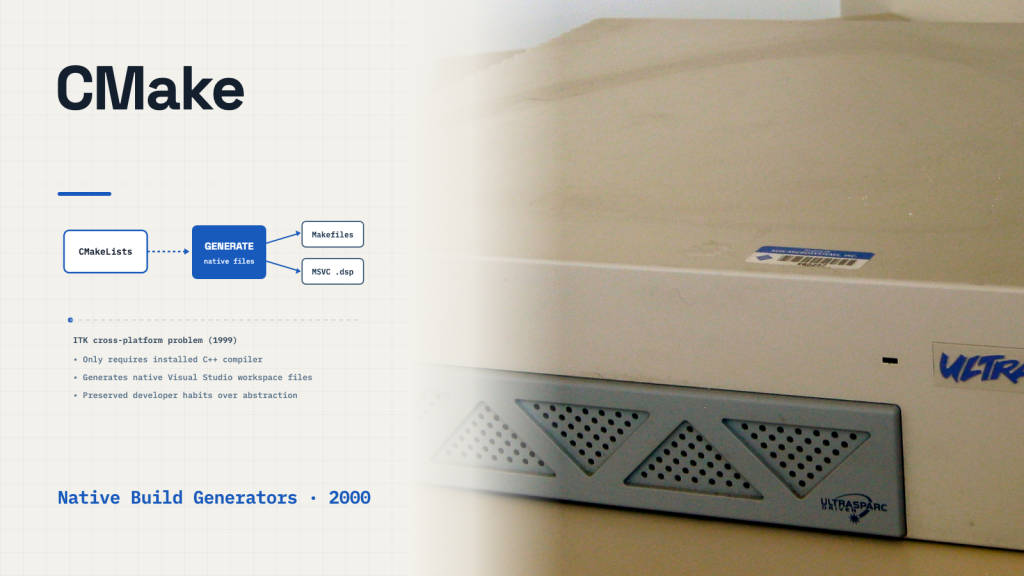
In 1999, a new medical imaging project faced the build problem that would lead to CMake: its developers worked across Unix workstations and Windows computers. The Insight Segmentation and Registration Toolkit (ITK) needed to build reliably on both platforms, but maintaining separate build scripts created constant friction.
At the time, cross-platform C++ projects typically paired Unix Makefiles with hand-edited Microsoft Visual Studio project files. Bill Hoffman and Kenneth Martin at Kitware realized that whenever an engineer added a source file, both configurations had to be updated by hand, inviting drift and broken builds.
Rather than forcing Windows programmers onto the command line or asking Unix developers to maintain integrated development environment (IDE) files, Hoffman set out in 2000 to design CMake. His choice was simple: write one build description, and let software generate the native project files each platform already used.
The Failure of Command-Line Compromises
Before writing CMake, the engineers had already lived through the failure of two compromise architectures. At the time, the Visualization Toolkit (VTK) addressed cross-platform builds by maintaining Unix configure scripts alongside a Windows utility called pcmaker. Written in C, pcmaker parsed Unix Makefiles to generate files for Microsoft’s NMake build tool, but its compiled binary was checked directly into the project’s Concurrent Versions System (CVS) repository. Routine tasks, such as adding a new library, often forced developers to modify the utility’s source code and commit a fresh executable binary to version control.
A second approach, taken by the computer vision project TargetJr on Sun workstations, converted its imake system into a gmake environment that could invoke compilers on both Unix and Windows. Yet that system relied on a fragile constellation of shell environment variables. If a user’s environment was missing a single path, builds failed in ways that were exceptionally difficult to diagnose. More fundamentally, both systems forced experienced Windows developers onto the command line. Hoffman and Martin observed that this encouraged Windows developers to create Visual Studio project files by hand and contribute them to the project, recreating the dual build system.
Generating Files for Native Tools Instead of Replacing Them
Hoffman and the Kitware team concluded that an effective build tool could not dictate developer habits. If Windows engineers wanted Visual Studio workspace files, the build system had to generate real Visual Studio workspace files. That mandate shaped CMake’s architectural constraints.
First, CMake had to depend on nothing more than an installed C++ compiler. At the time, building and installing scripting languages such as Tcl was difficult on many Unix and Windows platforms. To avoid adding dependencies beyond a C++ compiler, the team chose to create CMake’s own lightweight configuration language. Second, it had to run build-time code generators, supporting workflows such as VTK’s parsing of C++ headers to generate language bindings for Python, Tcl, and Java during compilation. Third, it had to support keeping build artifacts in a separate directory tree from source code, so version control would not be cluttered with object files.
To accomplish this, CMake split the build lifecycle into two distinct stages: configure and generate. During the configure step, CMake reads CMakeCache.txt if it exists from a previous run, then processes the project’s root CMakeLists.txt file. It executes commands to construct an internal in-memory graph of build targets—libraries, executables, and custom commands. Only after this graph is fully assembled does the generate step run. In that second phase, CMake hands the internal target representation to a platform-specific generator, which translates the targets directly into native files: Makefiles for Unix or workspace project files for Visual Studio.
The Price of Living Inside the IDE
Generating native build files solved the adoption problem, but it introduced a strict engineering ceiling. A custom build tool that executes every compilation step itself can implement arbitrary scheduling tricks and dependency rules. A generator, by contrast, cannot promise any build behavior that the underlying native tool cannot execute.
As Hoffman and Martin later reflected in their architecture analysis, CMake had to restrict its capabilities to the intersection of what native IDEs and build systems could support. Supporting native IDE build files made CMake itself more difficult to develop. Yet Kitware accepted that cost because developer familiarity mattered more than theoretical elegance. By allowing engineers to press the standard build key in Visual Studio or type make in a Unix terminal, CMake outsourced platform complexity to the generator without forcing programmers to unlearn their daily habits.
A Working Pipeline Over a Pure Abstraction
The pragmatism paid off quickly. CMake successfully built ITK from its earliest milestones. In 2002, the team migrated the build systems of VTK and ParaView to CMake, drawing in collaborative funding from United States national laboratories, including Los Alamos, Sandia, and Lawrence Livermore.
For teams building shared infrastructure, CMake’s trajectory suggests a practical question: what tools do contributors already rely on, and what must a generator concede to support them? By generating native project files instead of demanding uniform command-line habits, CMake showed that preserving existing developer workflows can matter more than enforcing a single ideal interface.
Related stories
Sources
- Bill Hoffman and Kenneth Martin, “CMake,” in The Architecture of Open Source Applications, Volume 1 (2011)
- Kitware, “History of CMake,” official project documentation
- Kitware, “About CMake,” official project overview
- Kitware, “cmake-generators(7),” official reference manual
- Kitware, “Bill Hoffman,” team biographical profile
- Featured image: NapoliRoma; Wikimedia Commons; CC BY-SA 3.0 (adapted from the original)
 SIGNAL TITANS
Leave a Reply